Merge Parcels, Then Split Them Equally
This tutorial combines two adjoining parcels into one official parcel and then splits that result into two equal-area parcels. It demonstrates the complete Editor, Reviewer, and Approver workflow for both topology operations.
The exercise uses:
- source parcels
SYN-009(displayed as SYN-009 v1) andSYN-010; - merged parcel
SYN-009-010; and - split results
SYN-009-010-P1andSYN-009-010-P2.
Use a clean tutorial dataset. The source parcels must be current, active, in the same dataset, and free of active parcel drafts or topology requests.
Roles and outcome
Keep the Editor, Reviewer, Approver, and Viewer tabs open. Each person performs only the action permitted by that role.
At final approval LandWeave applies each topology request atomically. The merge supersedes both sources and creates one parcel. The split then supersedes that merged parcel and creates two parcels with lineage back to it.
1. Start the merge
In the Editor tab, select SYN-009 and SYN-010 from the parcel list or
map, then select Merge/Split Selected.
On Split or merge parcels:
- Choose Merge contiguous parcels.
- Confirm that both source version identifiers are present.
- Keep
SYN-009as the primary source for merge attributes. - Add a short note explaining the operation.
- Select Create grouped request.
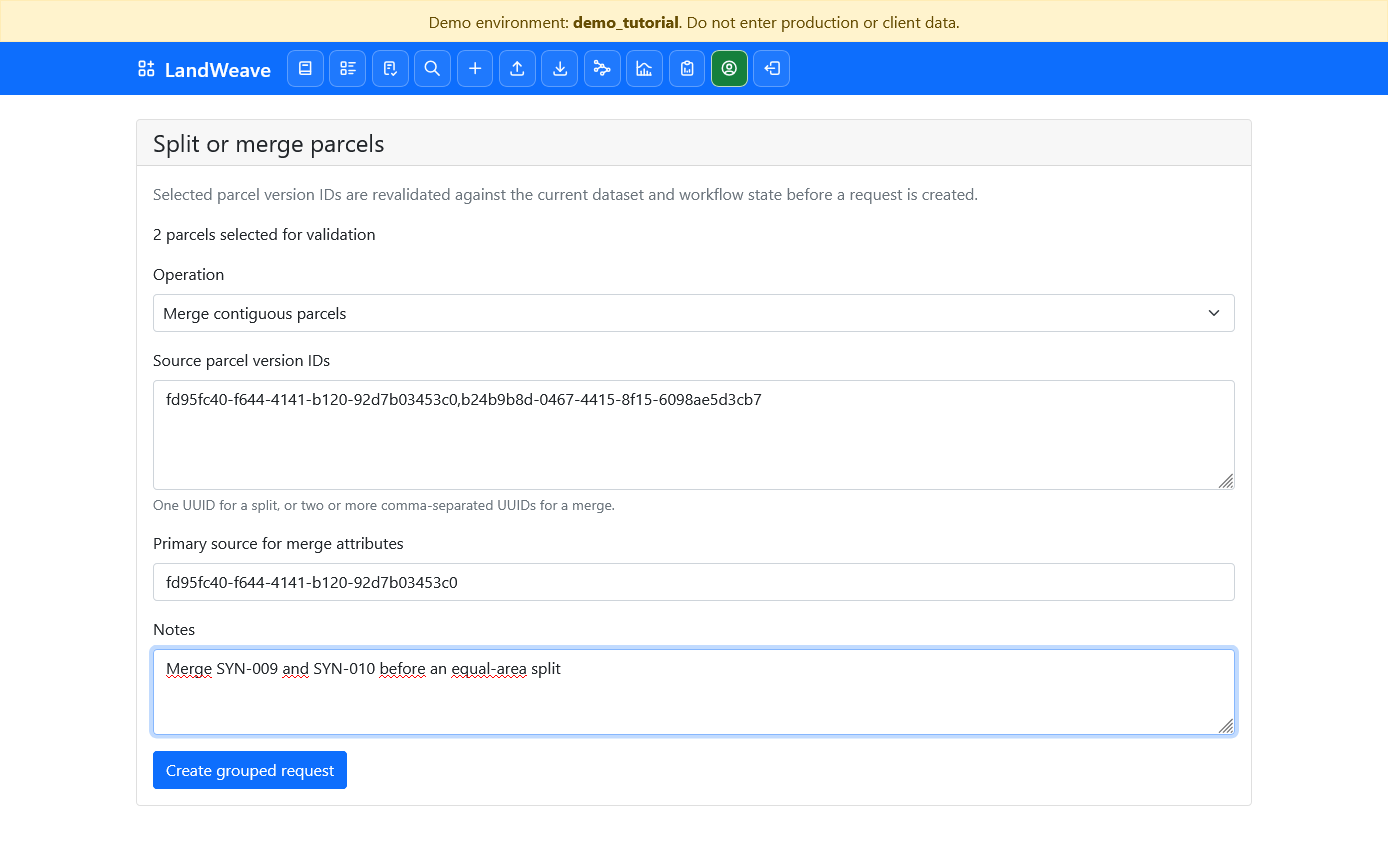
LandWeave rejects disconnected parcels and parcels that meet only at one point. These sources are eligible because they share a positive-length boundary.
2. Prepare and submit the merged parcel
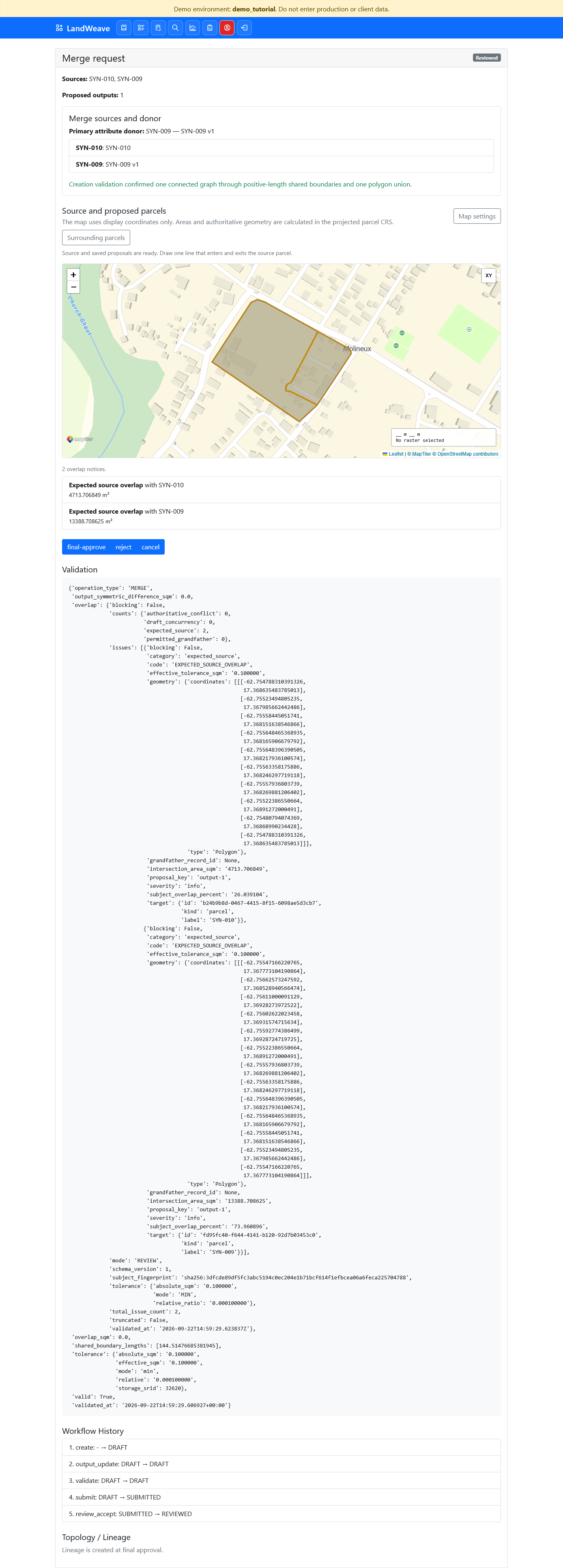
The merge request shows both sources, the primary attribute donor, and the
authoritative union geometry. Set the output parcel ID and name to
SYN-009-010, then select Save output details and validate.
Confirm that validation is successful and the proposed output is one polygon.
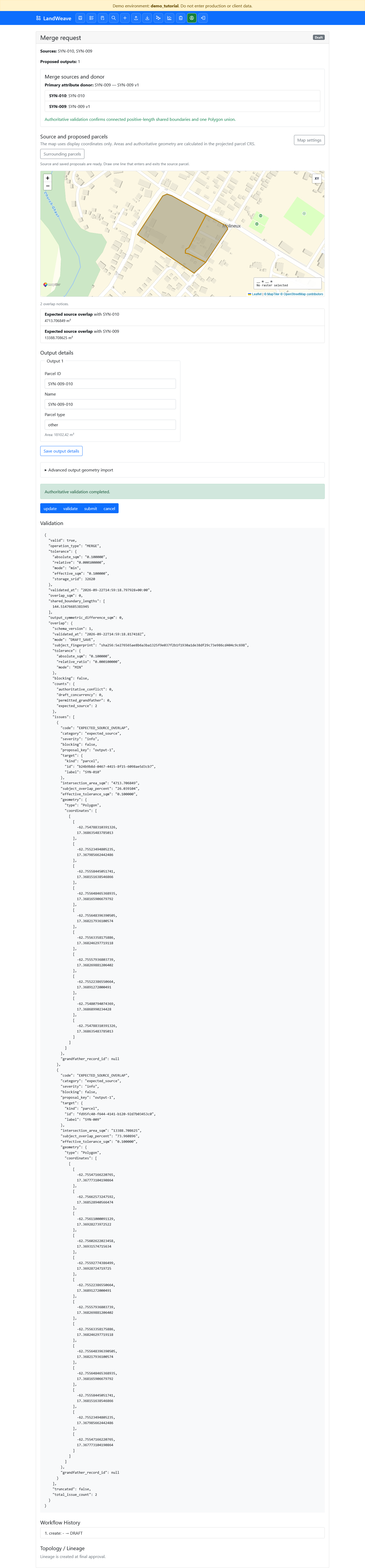
Select submit. The complete grouped request moves from Draft to Submitted. Individual source parcels are not submitted separately.
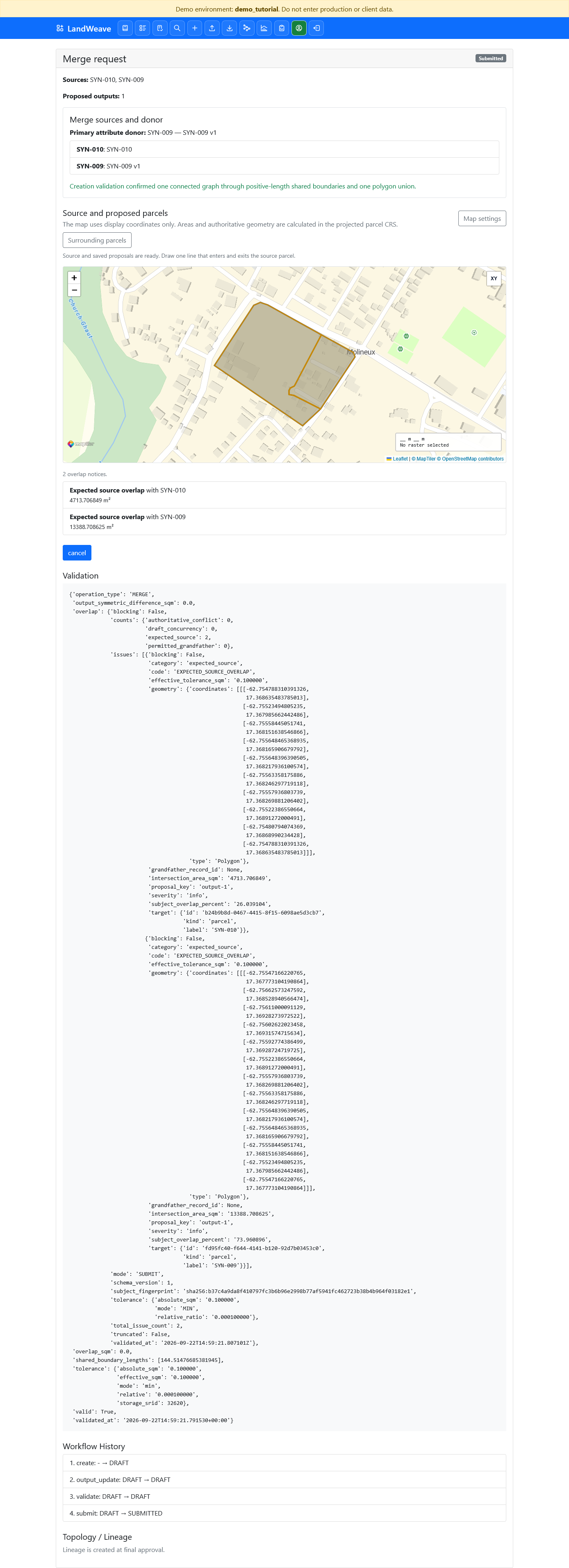
3. Review and approve the merge
In the Reviewer tab, open the merge request. Check the two sources, donor, union geometry, output identifier, and validation result. Select review-accept.
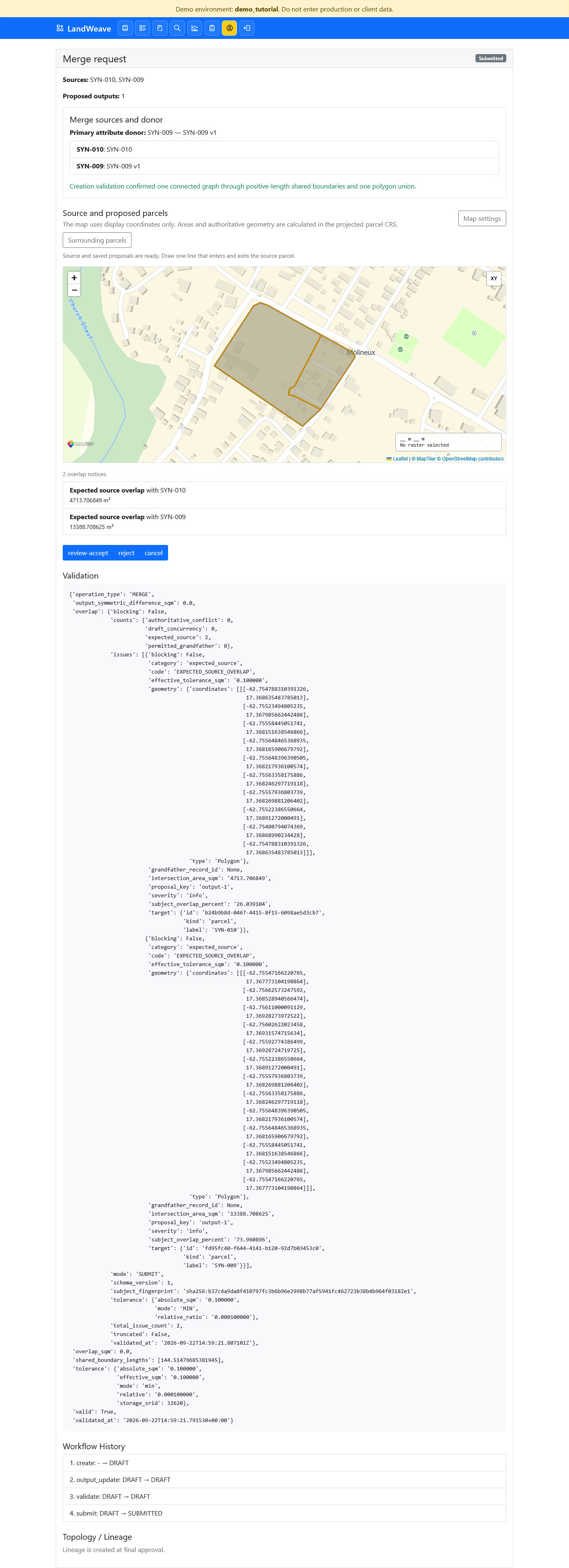
In the Approver tab, reopen the request. Confirm that its state is Reviewed, then select final-approve.
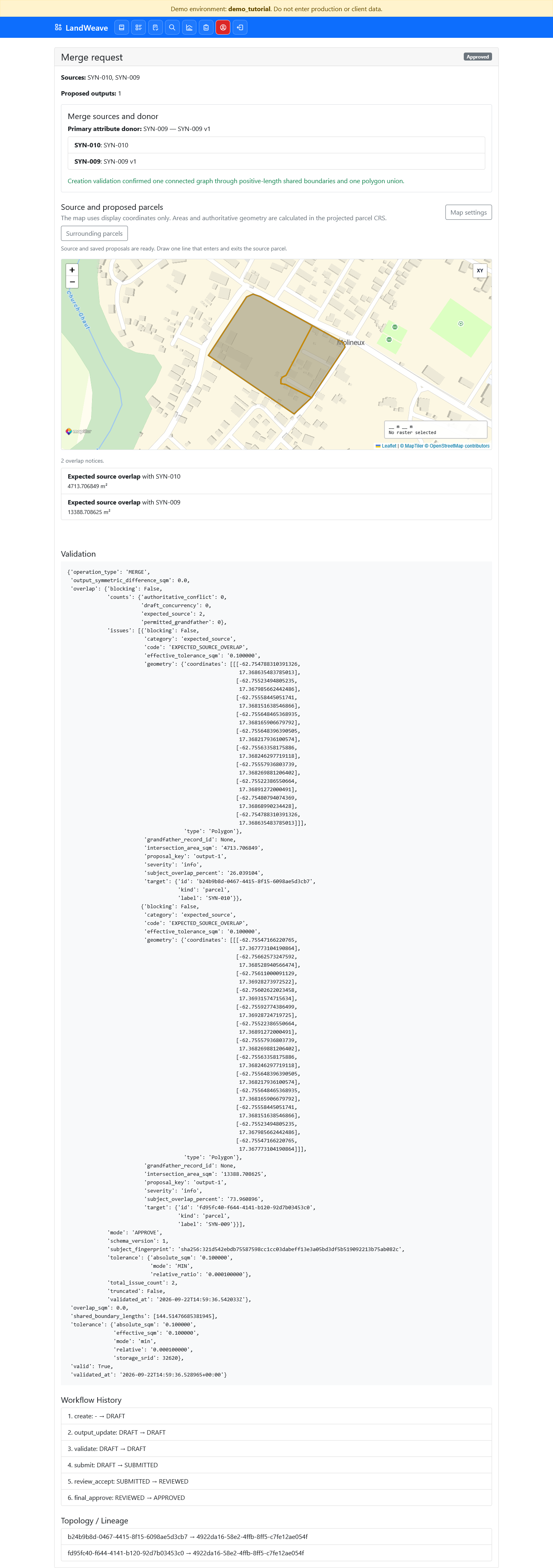
The approved request records two lineage edges, one from each retired source to
the new SYN-009-010 parcel.
4. Start the split
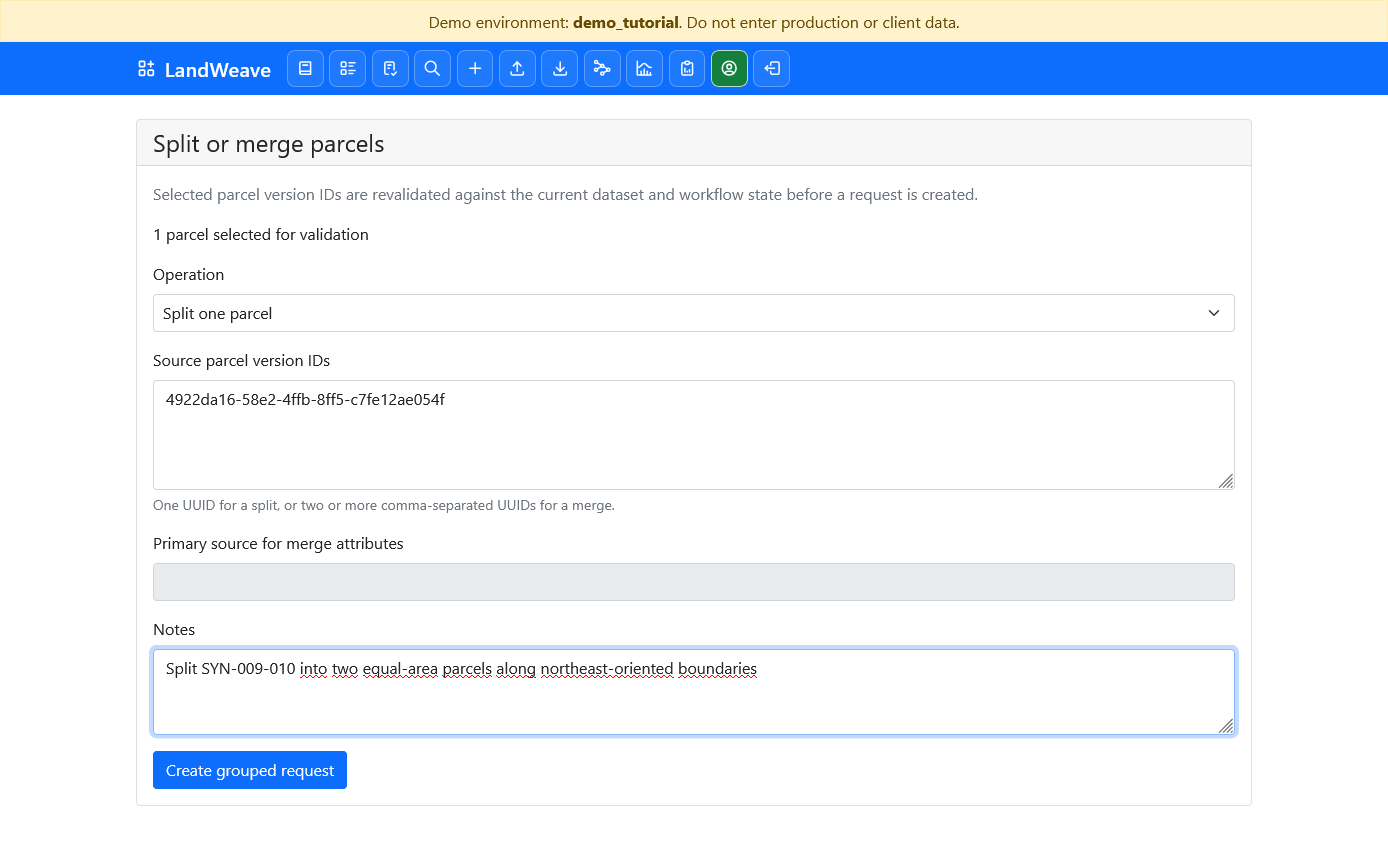
Return to the Editor tab. Select the new SYN-009-010 parcel and open
Merge/Split Selected. Choose Split one parcel, add a note, and select
Create grouped request.
5. Draw an equal-area northeast line
Select Draw split line. Draw one straight line from outside the southwest side of the parcel to outside the northeast side. Keep the line parallel to the parcel's northeast-oriented side boundaries.
LandWeave does not automatically position a line by percentage or target area. Use the projected output-area summaries to check the result. Redraw the line if necessary until the two displayed areas agree to the precision required for the exercise.
Set the output details to:
| Output | Parcel ID | Name |
|---|---|---|
| 1 | SYN-009-010-P1 |
SYN-009-010-P1 |
| 2 | SYN-009-010-P2 |
SYN-009-010-P2 |
Select Save output details, then validate. In this exercise each output
is 9051.21 m²; the authoritative stored areas are equal within less than
0.0000001 m².
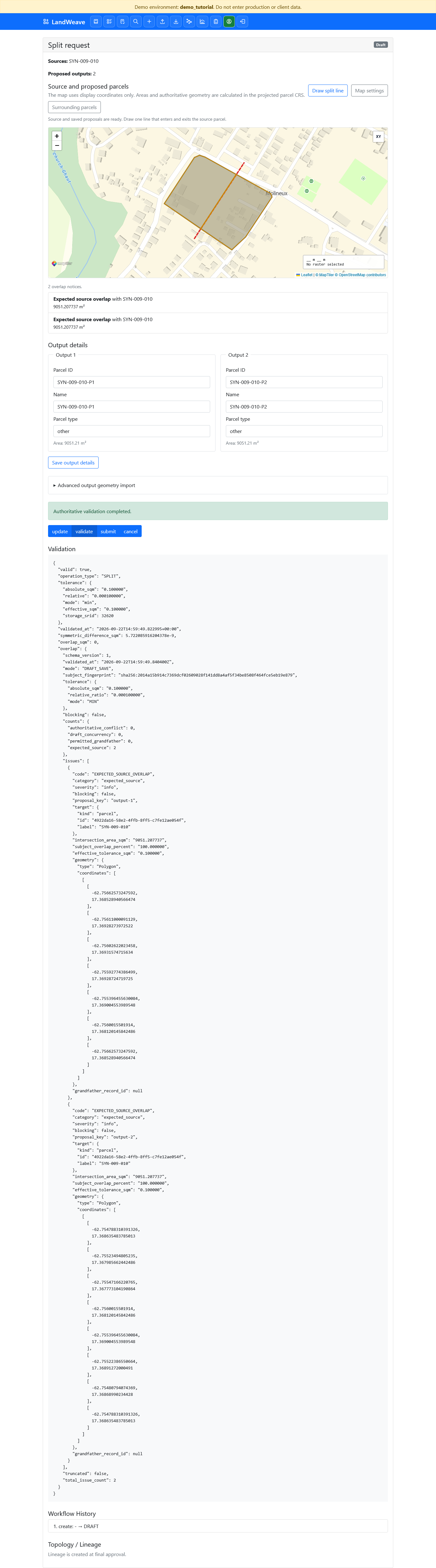
Select submit when the line, identifiers, areas, and validation result are correct.
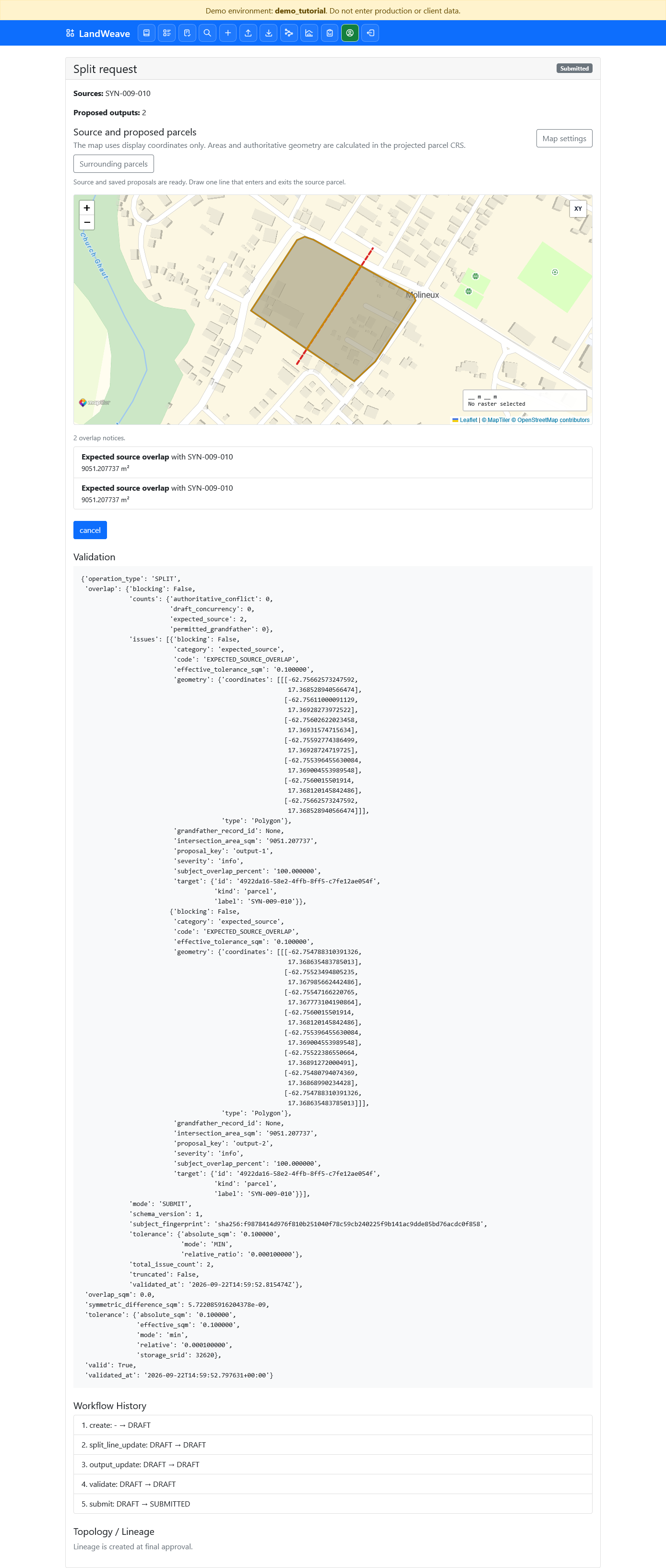
6. Review and approve the split
In the Reviewer tab, check that the line crosses the parcel once, the two outputs cover the source, and the areas are equal. Select review-accept.
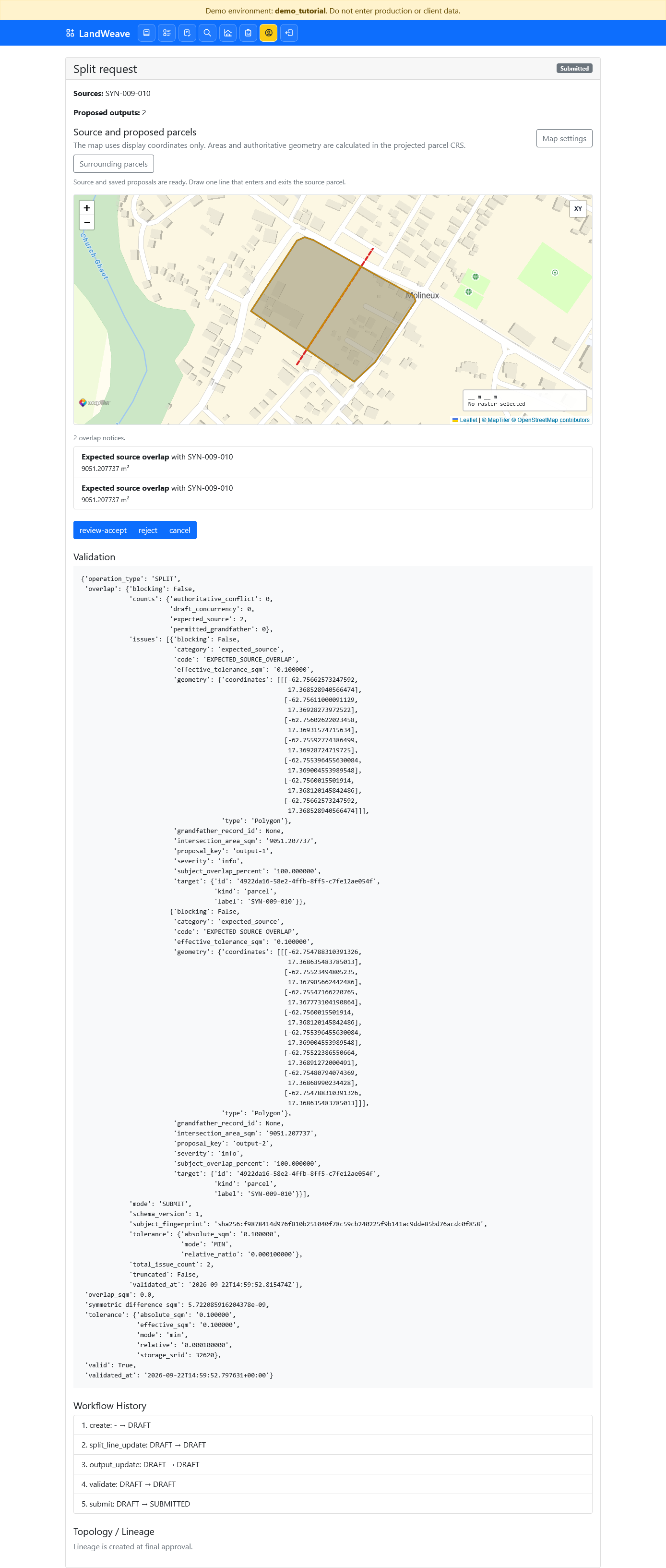
In the Approver tab, reopen the reviewed request and select final-approve.
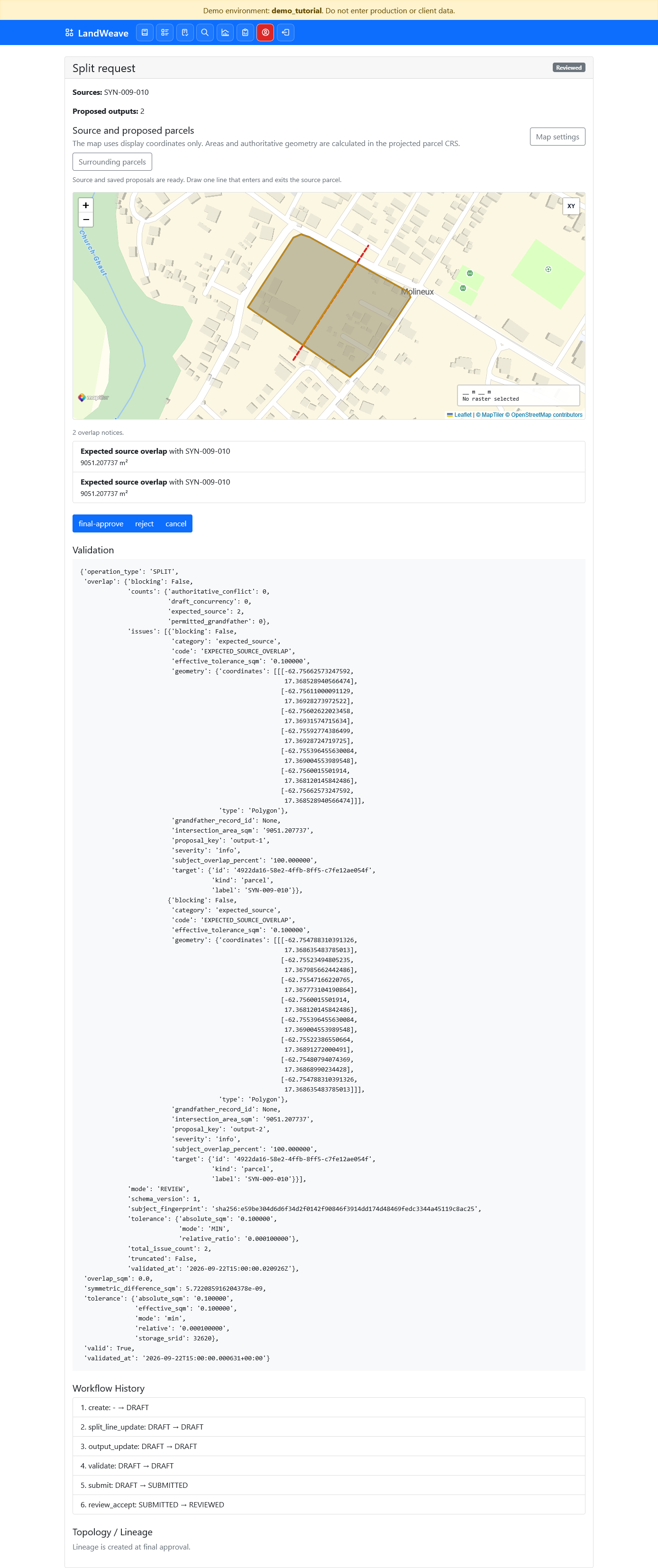
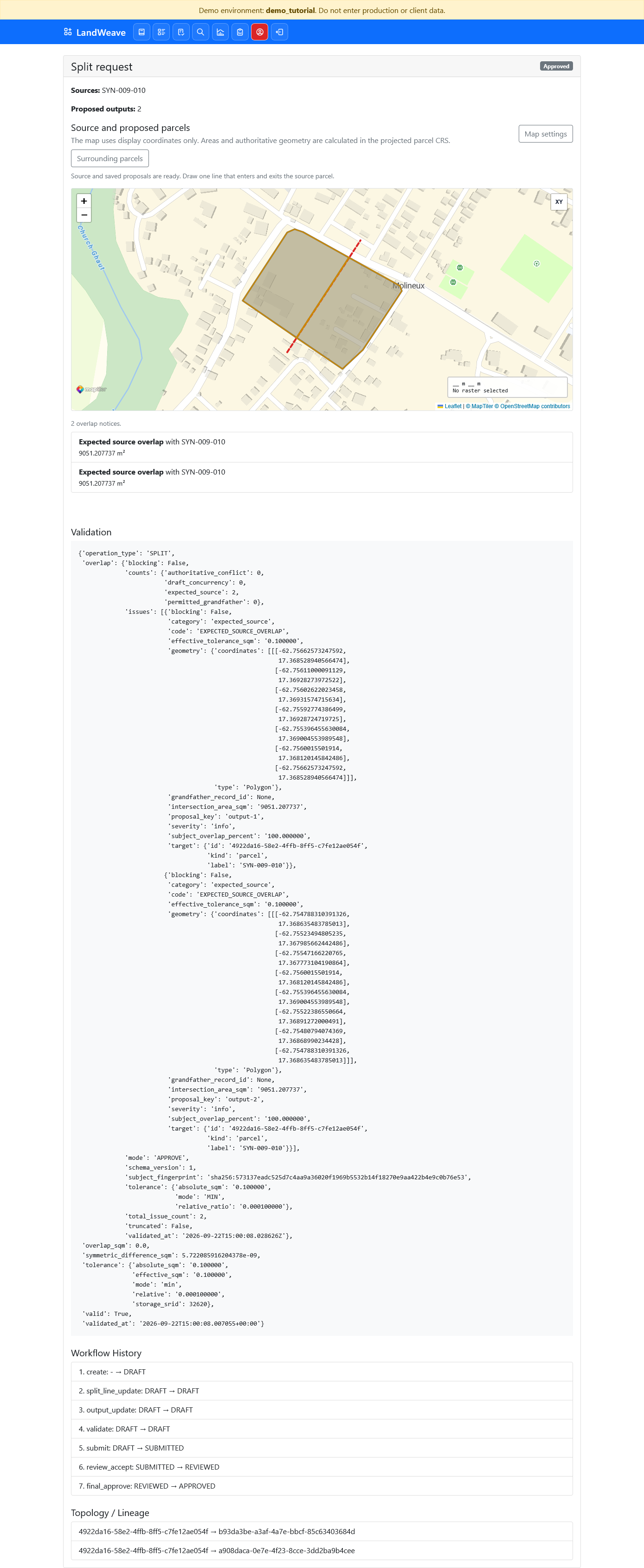
The approved split records one lineage edge from SYN-009-010 to each new
parcel. The workflow history records creation, split-line update, output update,
validation, submission, review, and final approval.
7. Verify the official results
In the Viewer tab, filter the parcel list by SYN-009-010-P. Confirm that
both new parcels are active and each is displayed as 0.91 hectares.
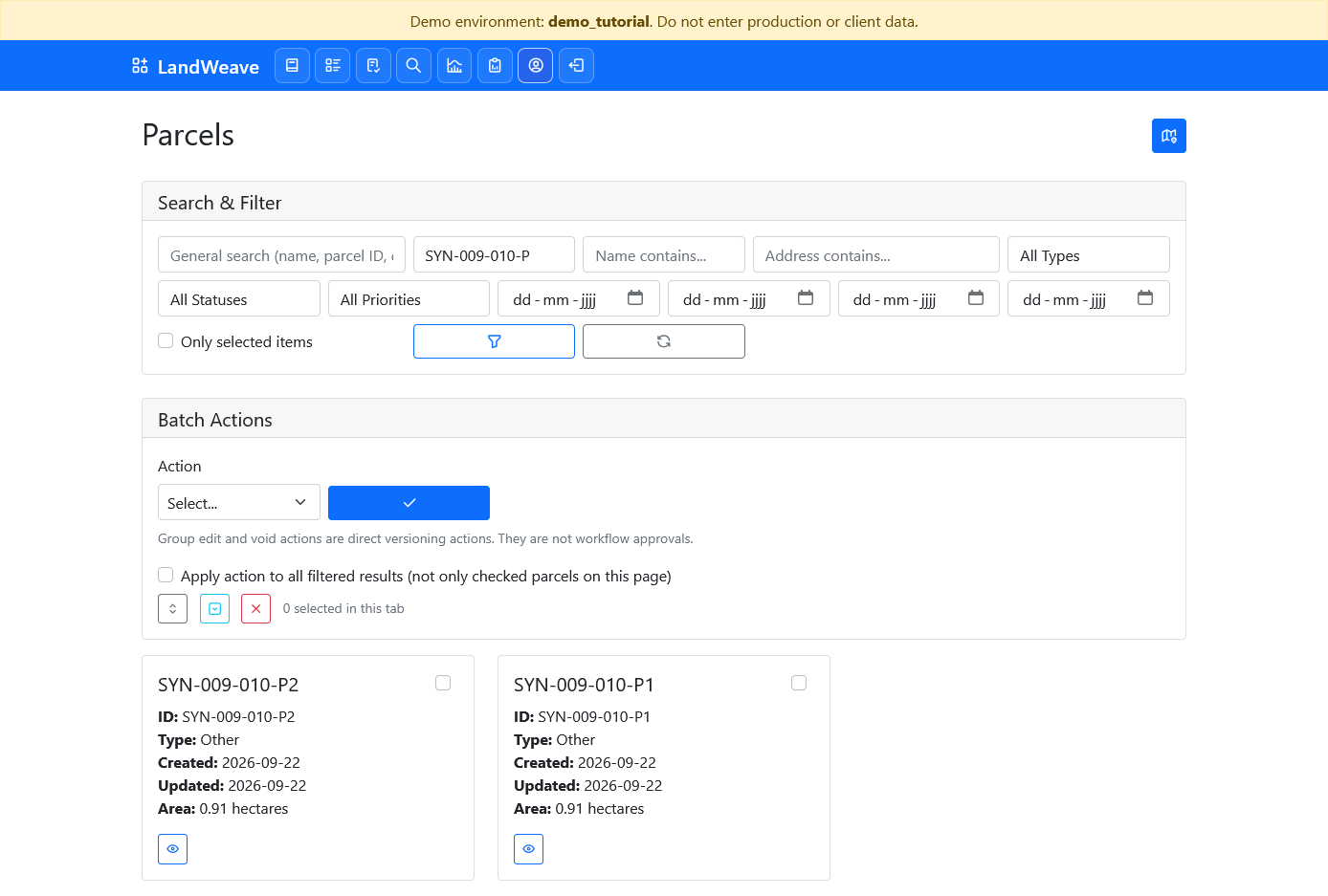
The intermediate SYN-009-010 parcel remains in history as superseded. The two
original source parcels are also superseded, preserving the complete
many-to-one and one-to-many lineage chain.
What this exercise demonstrates
- Merge sources must form one edge-connected polygon.
- One grouped request controls all outputs of an operation.
- Editor, Reviewer, and Approver actions remain separated.
- Areas and topology are validated in the projected parcel storage CRS.
- Final approval retires sources and creates outputs in one transaction.
- Lineage preserves both stages even though the merged parcel is later split.